Understanding the mac mini and Clawdbot AI Integration
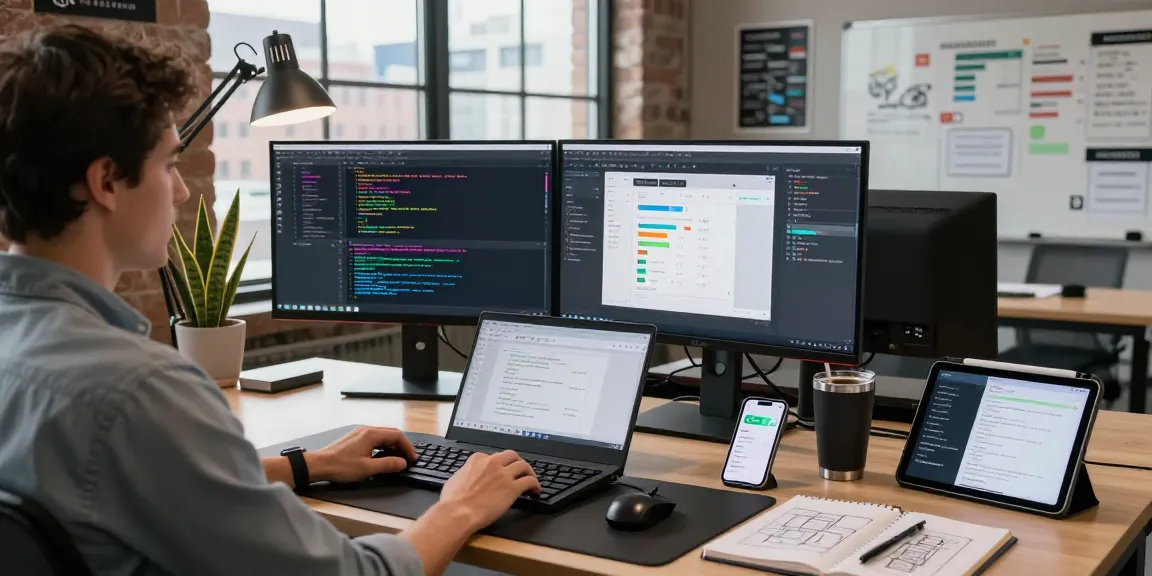
The mac mini has grown in popularity as a compact yet powerful desktop solution, especially for tech-savvy users looking to enhance their productivity. In 2026, the combination of mac mini with Clawdbot AI offers a remarkable value proposition for managing daily tasks, improving workflow efficiency, and ensuring data privacy through seamless self-hosting capabilities. As we explore the integration of these two technologies, we'll delve into what Clawdbot AI is, the benefits of choosing the mac mini, and how this integration elevates user experience.
What is Clawdbot AI?
Clawdbot AI is an open-source, self-hosted personal assistant designed to streamline tasks such as managing calendars, clearing inboxes, and integrating with over 100 platforms, including popular messaging apps like WhatsApp, Telegram, Discord, and Slack. By using Clawdbot, users can maintain full control over their data while enjoying the benefits of advanced automation and contextual memory systems that learn and adapt to individual user preferences over time.
Benefits of Using mac mini for AI Workflows
The mac mini stands out in the realm of AI workflows due to its impressive performance capabilities and energy efficiency. Users benefit from its compact design, making it a perfect desktop solution for home offices and small workspaces. With the introduction of the M4 chip, the mac mini offers enhanced processing power that complements the computational demands of AI applications like Clawdbot AI. Additionally, its affordable price point allows users to maximize their investment without sacrificing quality.
How Clawdbot Enhances User Experience
Clawdbot AI significantly enhances the user experience by automating repetitive tasks and intelligently managing communications. As users interact with the AI, it develops a deep understanding of their habits and preferences, enabling personalized responses and timely reminders. This adaptability not only saves time but also reduces stress, allowing users to focus on more critical aspects of their work and personal lives.
Installing Clawdbot AI on mac mini
Step-by-Step Installation Guide
Installing Clawdbot AI on a mac mini is a straightforward process, enabling users to get started quickly. Below are the steps for a successful installation:
- Ensure your mac mini runs macOS 14 or later.
- Download the Clawdbot installation package from the official Clawdbot website.
- Open Terminal and navigate to the downloaded package location.
- Run the installation command, which will automatically configure dependencies and set up the environment.
- Follow any on-screen instructions to finalize the setup.
- Once installed, launch Clawdbot and complete the initial configuration based on your preferences.
System Requirements for Effective Performance
To ensure optimal performance, your mac mini should meet the following system requirements:
- macOS 14 or higher.
- At least 8 GB of RAM (16 GB recommended for heavy users).
- 256 GB SSD storage or higher.
- Stable Internet connection for cloud functionalities and API integrations.
Choosing the Right Installation Method
Clawdbot AI offers multiple installation methods to cater to different user preferences:
- One-liner (macOS/Linux): A single command to install Clawdbot on Linux or macOS.
- One-liner (Windows PowerShell): Ideal for Windows users opting for PowerShell installations.
- One-liner (Windows CMD): For those who prefer the command prompt on Windows.
- npm Package: Users with Node.js can install Clawdbot via npm.
- pnpm Package: Faster installation for users familiar with pnpm.
- Hackable Options: For advanced users wishing to clone and customize the source code.
- macOS Companion App (Beta): Provides a menu bar access for quick interactions.
Cost Efficiency of Self-Hosting Clawdbot on mac mini
Comparing Costs: Clawdbot vs Subscription Services
One of the most compelling reasons to opt for a self-hosted solution like Clawdbot is the cost efficiency. Subscription-based AI assistants usually charge $20-50 per month. In comparison, Clawdbot allows users to leverage pay-as-you-go API costs, which typically range from $5 to $50 per month depending on usage. This approach not only saves money but also allows users to maintain control over their spending.
Understanding API Costs and Budgeting
When using Clawdbot, users must consider API usage as a significant component of their monthly budget. Different AI models will have varying costs, so users should evaluate their needs and predict their usage to manage expenses effectively. By understanding these costs, users can better allocate their budgets while maximizing the utility of Clawdbot.
Long-Term Savings with Self-Hosting
Self-hosting Clawdbot offers long-term financial advantages. Users avoid recurring subscription fees commonly associated with other personal AI assistants. Instead, they pay only for the computing resources and API calls they utilize, leading to substantial savings over time. This model allows for scalability, enabling users to adjust their investment according to their changing needs without incurring additional costs.
Enhancing Productivity with mac mini and Clawdbot
Automating Daily Tasks with AI Integration
Clawdbot AI's automation capabilities significantly enhance productivity in day-to-day tasks. For example, users can automate email filtering, appointment scheduling, and task reminders directly through their mac mini. This not only reduces the time spent on mundane activities but also improves organization and efficiency.
Improving Communication through Messenger Platforms
With the ability to integrate with messaging platforms such as WhatsApp, Discord, and Telegram, Clawdbot helps streamline communication. Users can manage client interactions and team collaborations without switching between apps. This unified approach saves time and reduces the cognitive load associated with juggling multiple communication channels.
Utilizing Contextual Memory for Personalized Assistance
Clawdbot's contextual memory system plays a pivotal role in personalizing user experiences. By remembering preferences and past interactions, the AI provides tailored assistance that evolves with the user. This feature makes it an invaluable tool for those who require a consistent and intelligent support system for their tasks.
Future Trends in AI and mac mini Technology
Emerging Features of Clawdbot AI
As AI technology continues to advance, Clawdbot is expected to introduce new features that enhance its capabilities. Anticipated improvements include more robust natural language processing, advanced integrative functions with emerging platforms, and enhanced security features to further protect user data.
Potential Advancements in mac mini Hardware
The mac mini is likely to see iterative improvements in hardware performance, particularly with the M4 chip and beyond. These advancements will support more intensive AI tasks, offering better graphical processing, increased RAM capabilities, and overall enhanced functionality for users running resource-demanding applications like Clawdbot.
Forecasting the Role of AI in Everyday Tasks by 2026
By 2026, AI is expected to become an integral part of daily life, transforming how we approach routine tasks. With solutions like Clawdbot seamlessly integrated into personal and professional environments, users can anticipate a future where AI not only assists but proactively manages aspects of their lives. This will foster increased efficiency, creativity, and productivity across various domains.
How to Secure Your mac mini and Clawdbot Setup?
To ensure the security of your mac mini and Clawdbot setup, adhere to best practices such as regularly updating software, utilizing strong passwords, and configuring firewall settings. Implementing two-factor authentication for critical applications can also enhance security and protect sensitive data from unauthorized access.
What's Next for AI Assistants and Home Automation?
The future of AI assistants like Clawdbot and their role in home automation remains promising. Expect advancements in smart home integration, allowing for seamless communication between AI systems and home devices. As more people embrace smart technology, AI assistants will become central hubs for managing household activities and enhancing user convenience.
How Can Beginners Start with Clawdbot on mac mini?
Beginners looking to start with Clawdbot on the mac mini can follow these simple steps: begin with the installation guide, explore the user-friendly interface, and utilize community resources such as forums and documentation for troubleshooting and tips. Engaging with others in the Clawdbot community can provide valuable insights as users refine their experience and tap into the full potential of their AI assistant.